No push notifications
No buzzing or badges. You check the app when you decide to.
Start each day with clarity: one morning email, a focused shortlist, and a calm place for everything else.
CalmLoop also works as an MCP task manager, so Claude and other AI assistants can help manage your tasks without adding another noisy workflow.
Explore the full demo with sample tasks. No signup required.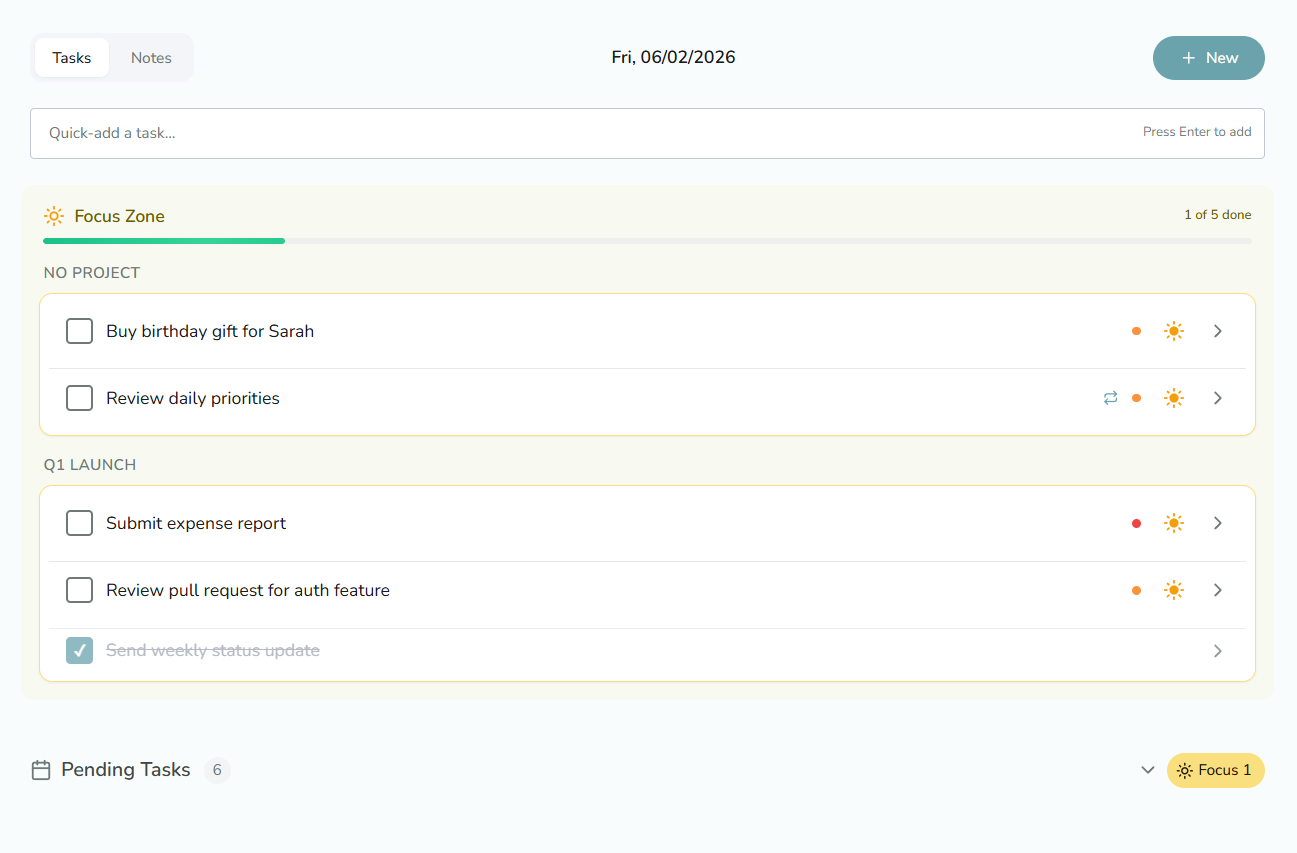
Your attention is sacred. CalmLoop respects your focus instead of competing for it.
No buzzing or badges. You check the app when you decide to.
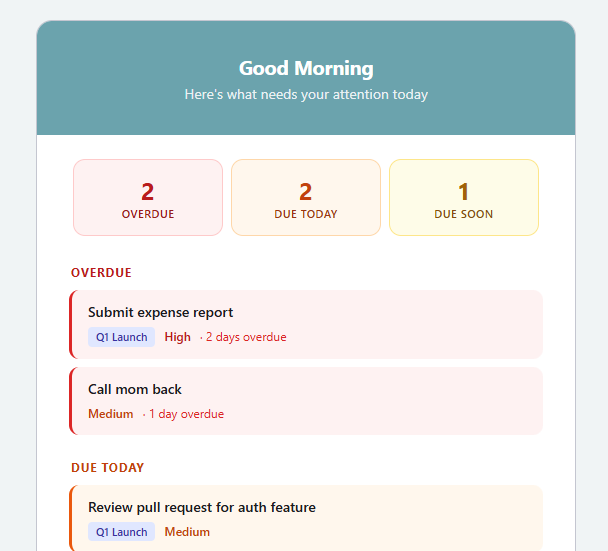
At 8 AM in your timezone, see what is overdue, due today, and coming soon.
You choose what matters today, then work without second-guessing.
Most task apps add to your mental load. CalmLoop takes it away.
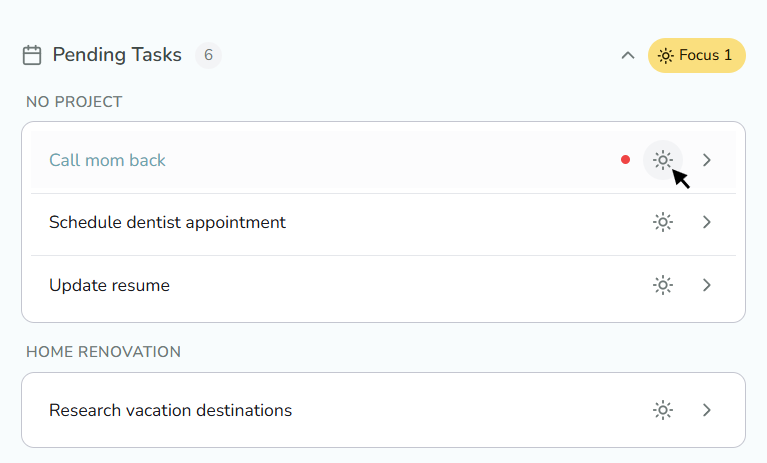
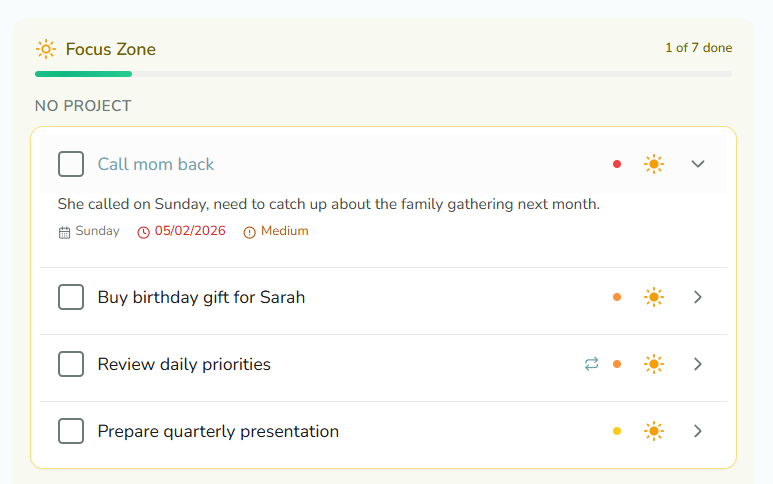
Your Pending Tasks list is for thinking ahead. Your daily Focus Zone is for doing.
Choose the day's focus, then execute without reorganizing the same list all afternoon.
No gamification, guilt-inducing streaks, or constant reminders.
Add progress and context to tasks, then review the timeline when you need it.
A calmer alternative to task systems that demand more attention than the work.
People who want less task-management overhead and more uninterrupted work.
You muted every task app and want a system that waits for you.
You spend more time reshuffling tasks than completing them.
You need everything held steady while you disappear into focused work.
You work across projects and need one calm record of what happened.
Four simple steps from a full list to a focused day.
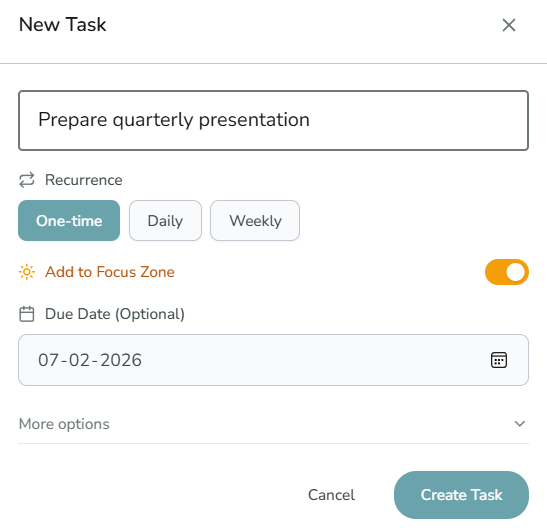
Capture a title, dates, recurrence, priority, notes, and project without crowding the basic flow.
See overdue, due-today, and upcoming work at 8 AM in your timezone.
Add the tasks you will tackle today. Urgency is visible, but the choice remains yours.
Your Focus Zone is the commitment. Complete tasks without another round of list management.
A focused set of features for personal task management.
Keep related tasks together across your lists.
Repeat dependable work without recreating it.
Keep context on tasks and review completed work.
Use the responsive web app or install it from supported browsers.
One month free, no credit card required.
After the one-month free trial
Create a free account30 days free · No card · No automatic chargeAfter the one-month free trial
Create a free account30 days free · No card · No automatic chargeCalmLoop is made by a solo founder for people who want less noise and more clarity.
A focused product built from a real daily workflow.
No hidden fees, data selling, or ads.
Basic website usage is measured with Google Analytics. Task data is not sold or used for advertising.
Connect CalmLoop's remote Streamable HTTP MCP server and manage tasks through natural conversation.
Create, update, complete, organize, and annotate tasks and standalone notes.
Connect with a separate CalmLoop PAT sent as a bearer token in a secret Authorization header. Your web login stays separate.
Use Claude Code, Codex, OpenCode, or a compatible custom-header Streamable HTTP client.
Try CalmLoop with sample tasks, or create a free account.